Screenshots and recordings, marked up in seconds.
Grab part of the screen or a whole page, point things out with arrows and numbers, and record videos that zoom in on every click. It all stays on your computer.
- Local-first, saved in your browser
- No account
- No telemetry
- No watermark on Free
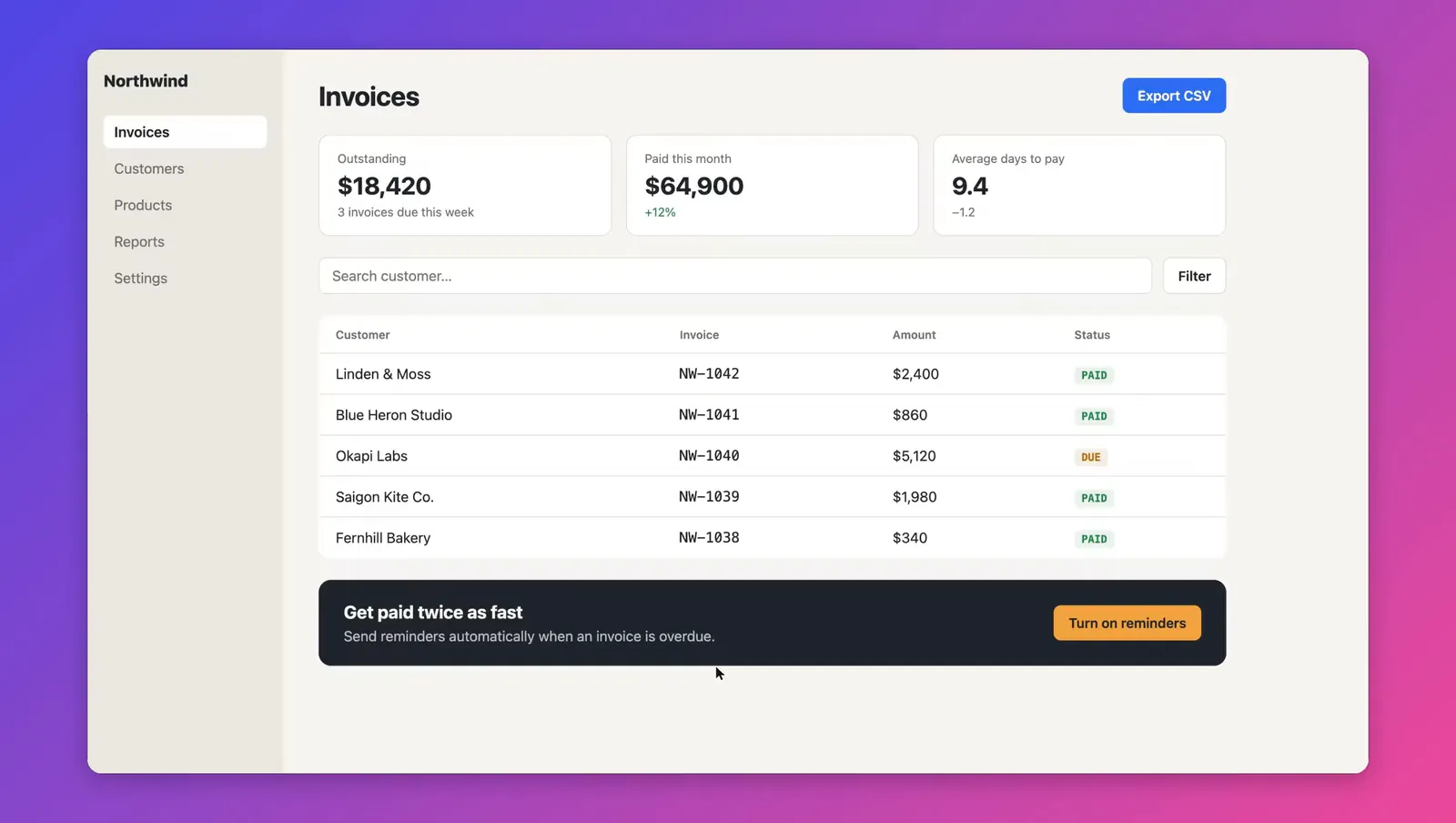
Pick a region, snap to an element, or take the whole page.
The overlay shows exact pixel size and the element under your cursor. Full-page capture scrolls for you, freezes sticky headers and waits for lazy images.
- RegionCtrl Shift 1
- Visible areaCtrl Shift 2
- Full pageCtrl Shift 3
- ElementCtrl Shift 4
- Timer and repeat last regionfor menus & hovers
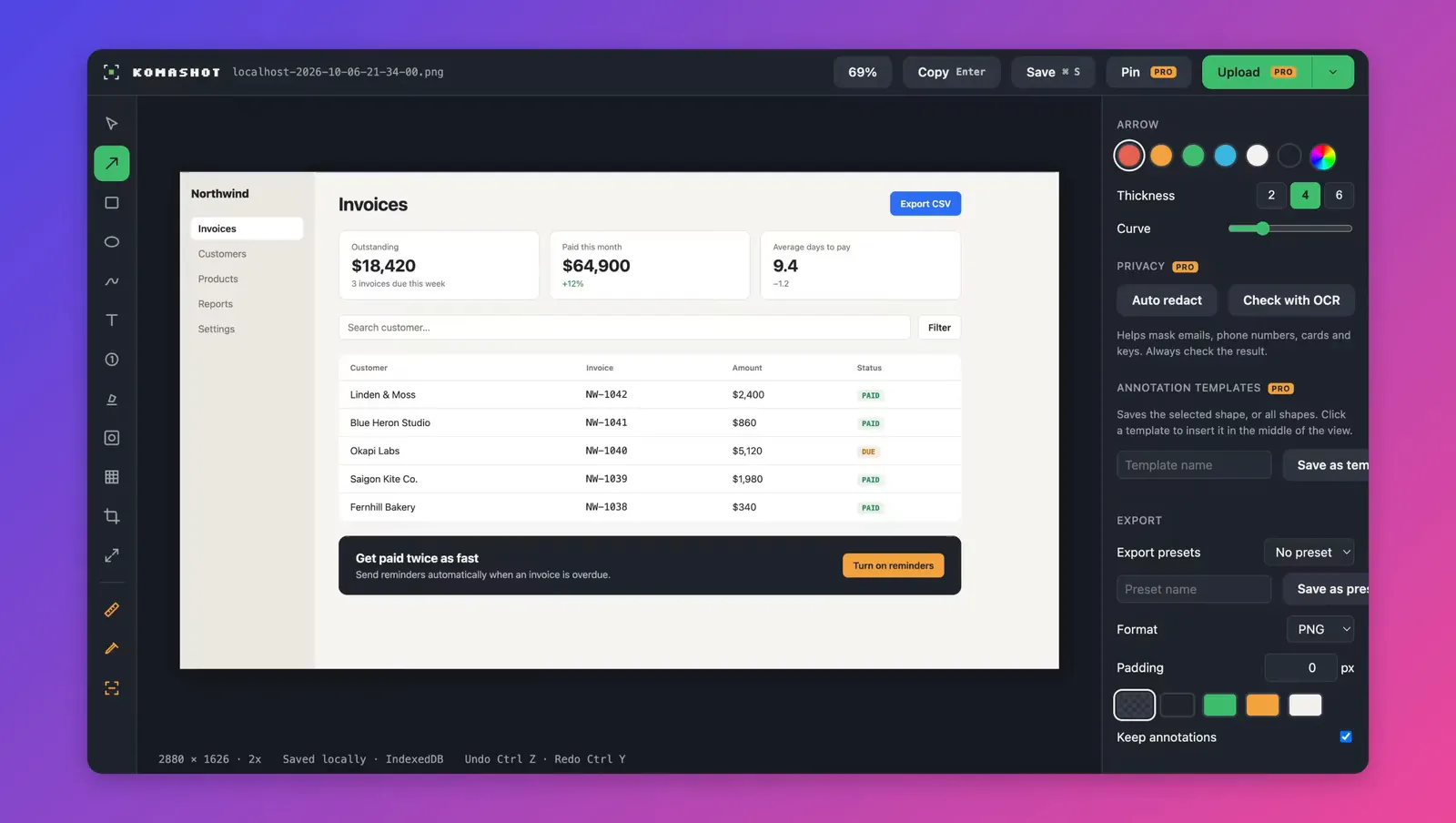
Mark up the bug before you file it.
Arrows, boxes, numbered steps, text, highlight, blur and crop. Measure distances in real CSS pixels and copy the result with Enter.
- Copy to clipboardEnter
- Save fileCtrl S
- Undo / redoCtrl Z Ctrl Y
- Historykept locally in IndexedDB
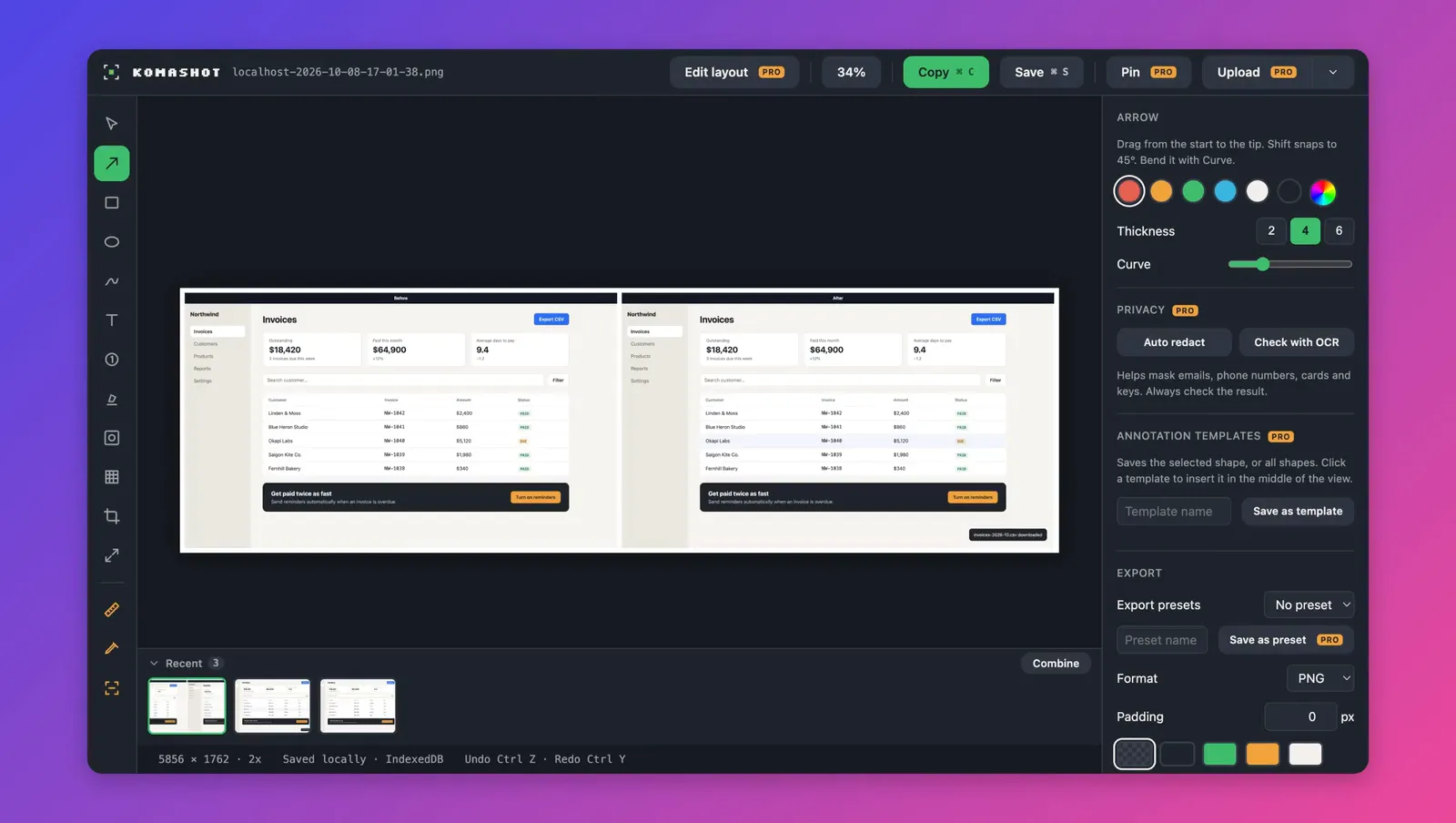
Put before and after side by side.
Pick captures in History or in the editor’s Recent strip and combine them into one image: side by side, stacked or in a grid, with Before / After labels. Your arrows, crops and blurs come along, and the result opens in the editor like any other capture.
- Layoutsside by side · stacked · grid
- Labelsheader strip or corner badge
- Free2 captures per image
- Proany number, compare with previous, edit layout
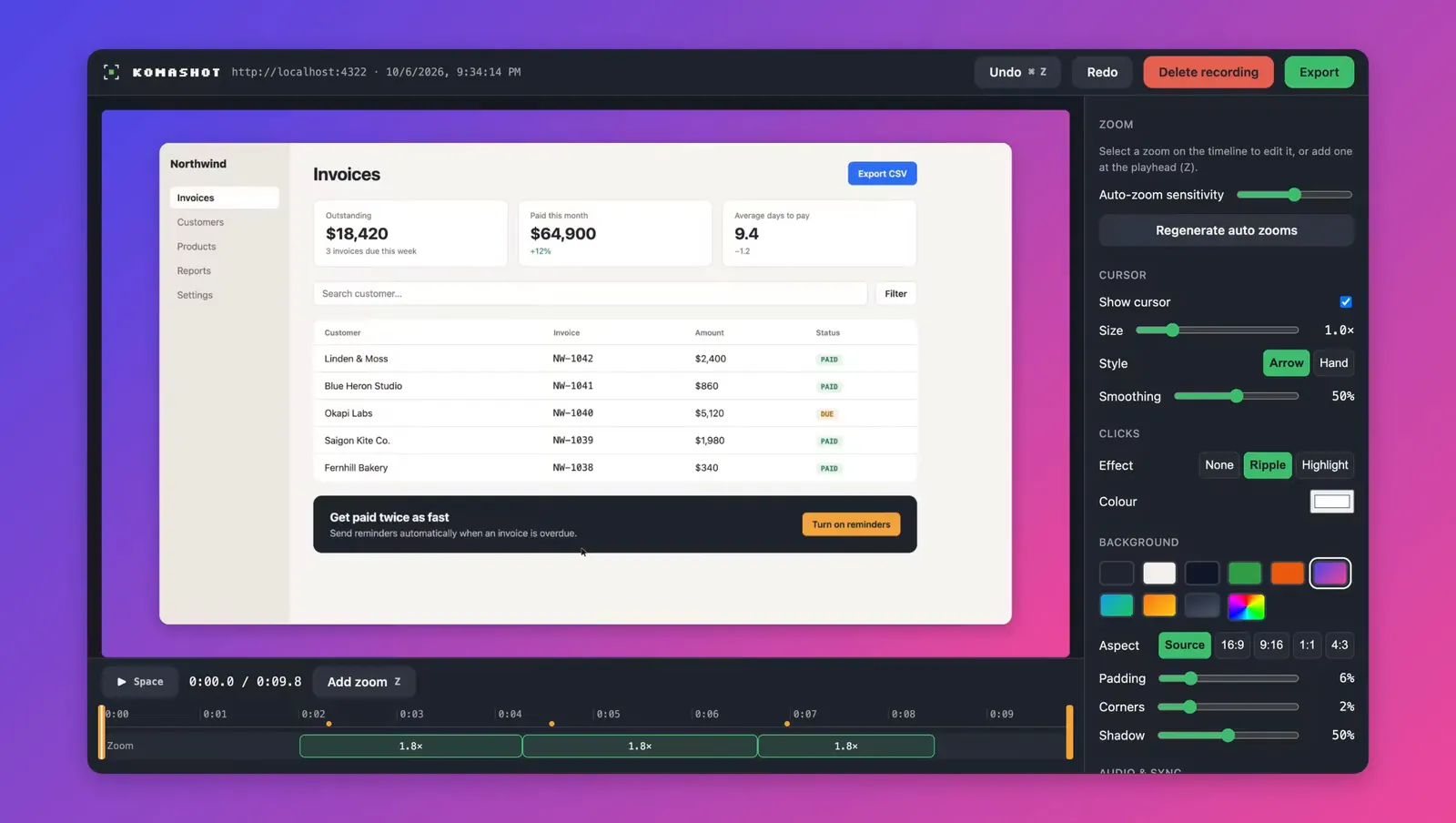
Demos that zoom where you click. PRO
Record a tab, a window or the whole screen. KomaShot keeps a timeline of your clicks and turns it into smooth zooms you can adjust, trim and export without uploading anything.
- Auto-zoomfrom clicks in the recorded tab
- Cursorsmoothed, with click effects
- Webcam and micoptional, placed after recording
- ExportMP4 · WebM · GIF
- Lengthup to 30 minutes
Measure, inspect and check contrast on the live page. PRO
A ruler for spacing, an inspector that reads the DOM, and a colour picker that tells you which CSS variable a colour came from and whether it passes WCAG.
- FormatsHEX · RGB · HSL · OKLCH
- ContrastWCAG AA · AAA
Try it: pick a text and background colour
The tools you keep opening a second app for.
They work on the screenshot and on the page itself, and nothing leaves your machine unless you set up an upload destination.
Offline OCR
Copy text out of any image or region, with nothing sent to a server.
eng + vieQR reader
Decode QR codes in a capture and open or copy the result.
URL · textText from the DOM
Read exact text from the page instead of guessing it from pixels.
exact text, no OCR guessworkAuto redaction
Mask emails, tokens, card numbers and your own patterns before you capture.
regexHide elements
Remove cookie banners and chat bubbles from the shot with saved rules.
CSS selectorPin on top
Keep a screenshot floating above other windows while you build.
Picture-in-PictureUpload & share
Send to your own storage and share the link or a QR code.
S3 · R2 · MinIO · GitHub · Imgur · WebDAV · webhookTemplates
Reuse export presets, upload paths and annotation styles.
{date}-{site}-{hash}Your screenshots stay on your computer.
- Storage
- Captures and recordings are saved in your browser's IndexedDB.
- Account
- None. Install and press Ctrl Shift 1.
- Network
- Only the Pro licence check and upload destinations you add yourself.
- Permissions
- Works on the tab you act on. Tab recording, microphone and camera are asked for only when you turn them on.
- Source
- The capture, measure and redact core is open source under MIT.
Free for screenshots. Pay once for Pro.
Free $0
- All capture modes, timer and repeat region
- Full annotation editor
- Copy, save and local history
- Combine 2 captures into a before / after image
- Magnifier with HEX colour
- Filename templates
- No watermark, no limits
Pro$39once, lifetime
- Everything in Free
- Screen recording with auto-zoom, MP4 / WebM / GIF
- Ruler, inspector, colour picker with WCAG
- Offline OCR, QR, text from the DOM
- Auto redaction, hide elements, pin on top
- Upload, QR sharing and templates
- Combine any number of captures, compare with previous
Questions before you install
Does KomaShot upload my screenshots?
No. Captures and recordings are stored in your browser. Uploads happen only when you add your own destination in Pro and press Upload.
Which browsers and systems are supported?
Chrome and Microsoft Edge on macOS and Windows. On a Mac the shortcuts use Control, so they don't clash with the system's own screenshot keys.
Why does recording ask for extra permission?
Recording a tab directly needs Chrome's tab capture permission, which KomaShot requests only when you turn it on. You can also record through the browser's share picker without it.
Does OCR work offline?
Yes. English and Vietnamese language data ship inside the extension, so text recognition runs on your machine.
How does Pro billing work?
You pay $39 once on the checkout page that Buy opens, then enter the license key from your receipt email. Pro is yours for life. There is no subscription.
Is KomaShot open source?
The core library for capture, stitching, measuring and redaction is MIT licensed on GitHub. The extension shell and Pro features are closed source.